When a car USB port is not charging your phone, the cause usually falls into one of four groups. The port may supply too little power for how you are using the phone. The cable or connector may be faulty. The phone itself may be limiting the charge. Or the phone is too hot or too cold to charge at all.
Start with the safe checks. Try a second cable you know works, look into the phone’s port for lint, test another phone if one is handy, and read the USB section of your vehicle manual. Those four steps sort out most cases before you spend any money.
Quick answer: if no phone charges on any cable, suspect the port or its fuse. If the phone charges slowly, compare the port against a known-good charger using the same cable. If the phone reports Charging On Hold, the car is not at fault, because the phone is too hot or too cold to accept a charge.
Match Your Symptom to a Likely Cause
“Not charging” can mean three or four different things. Each points somewhere different, so find your row first.
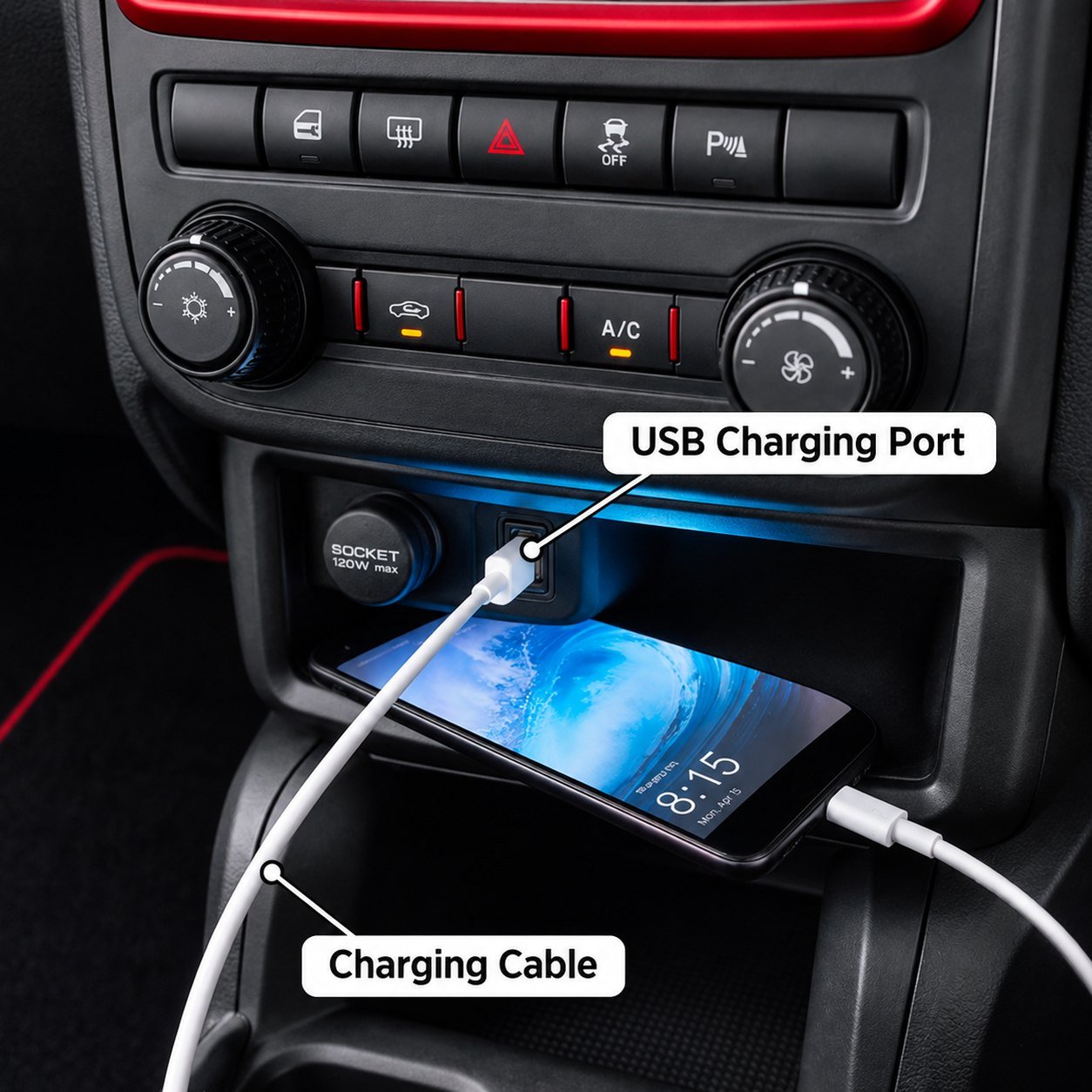
One cable, one port, several possible faults. A factory USB port in the console can be a data port, a charging port or a USB-C PD port, and the dash label rarely tells you which. Before buying anything, work out what the port is rated for and what the phone is asking for.
If the port only wakes up with the key, that is not a fault. Many cars cut the USB supply with the ignition, and many 12V sockets do the same, so turn the key to ACC or ON and try again before going further.
| What you see | Likely causes | Safe first check | When to go further |
|---|---|---|---|
| No charging at all | Port switched off with the ignition, faulty cable, debris in the phone port, blown port fuse | Turn the key to ACC or ON, swap to a known-good cable, try a second phone | If no phone charges on any cable, check the manual’s fuse chart or ask the dealer |
| Charges, but slowly | Low-current port, worn cable, phone and port not sharing a fast-charge protocol | Compare against a known-good charger using the same cable and phone | If the car port is clearly slower, look at the upgrade options below |
| Plugged in, battery still drops | Navigation, screen brightness, mobile data or heat using more power than the port supplies | Lower the brightness, then compare with and without CarPlay or Android Auto connected | If the drain continues, the port is undersized for your use |
| Phone shows “Charging On Hold” | The phone is too hot or too cold | Move it out of direct sun or into a warmer spot | Not a port fault, so the car needs no repair |
Safe Checks Before You Blame the Port
You can rule out the simple causes in a few minutes. None of these needs tools.
- Swap the cable. Use one that charges the same phone quickly elsewhere. Cables fail inside the jacket long before the outside looks damaged.
- Look into the phone’s port. Shine a light in. If lint is packed at the bottom, the plug cannot seat fully. Do not scrape it out with a pin or anything metal, because you can short or bend the contacts. A phone repair shop can clean it safely.
- Try a second phone. If both charge poorly on the same port and cable, the port is the more likely limit.
- Check the ignition position. Many car USB ports, and many 12V sockets, only switch on with the key in ACC or ON.
- Read the manual. It tells you which ports handle data, which only charge, and sometimes their rated output.
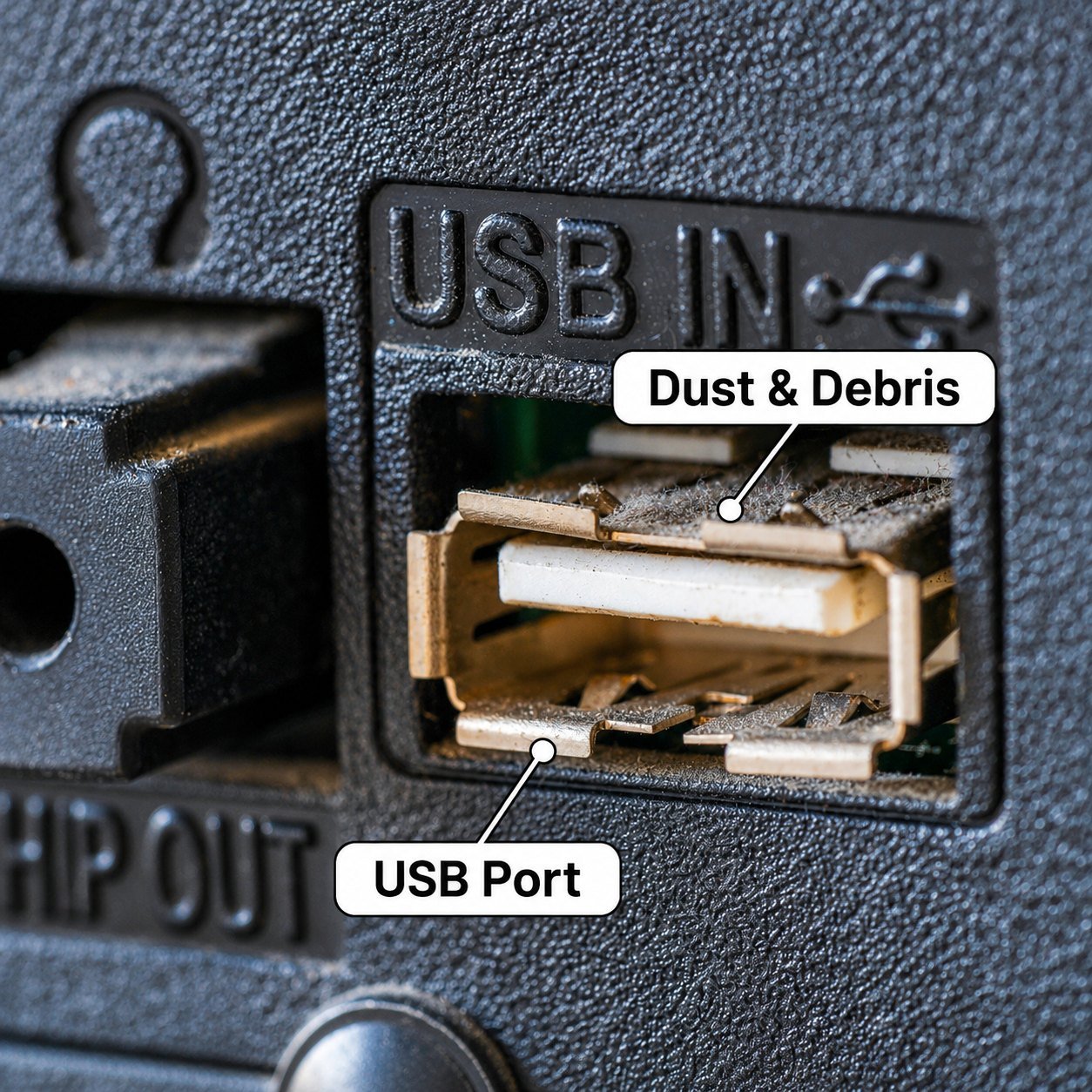
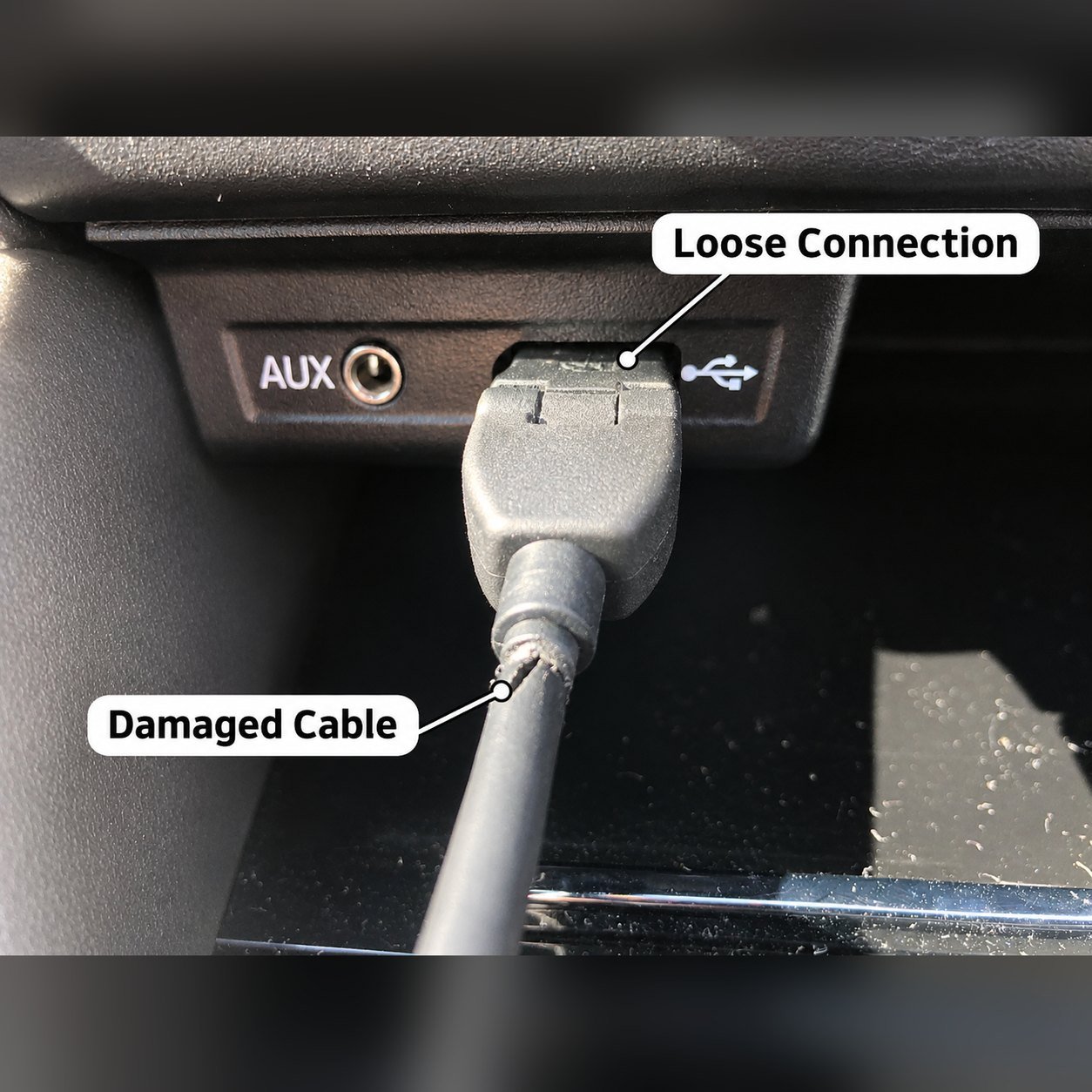
For phone-side faults beyond these, our guide to 15 common car charger problems and fixes goes through each one in order.
How Car USB Ports Differ (Data, Charging, and USB-C PD)
Car USB ports are not all built the same. The label on the dash rarely tells you which type you have, so it helps to know the terms.
USB data port. This port connects your phone to the infotainment system for music, CarPlay or Android Auto. If it follows the standard USB 2.0 rules for a standard downstream port, a phone may draw up to 500mA (0.5A) once it has connected, according to the USB 2.0 specification. At 5V, that is 2.5W. Plenty of vehicles go beyond that minimum, though, so treat 500mA as a floor, not a fixed rating.
Charging port under USB Battery Charging 1.2. The USB BC 1.2 specification defines ports that can supply more current, typically up to 1.5A. A charging downstream port does this while still carrying data. A dedicated charging port supplies power only.
USB-C Power Delivery (PD) port. PD lets the port and phone agree on a higher voltage and current. Output depends on what the port is rated for and what your phone supports.
The symbol next to a port is not a universal standard either. Carmakers use different icons, so a lightning bolt or phone symbol can mean different things from one vehicle to the next. Your manual, the port label or the infotainment documentation is the reliable source. Our explainer on CarPlay and in-dash USB, data versus charging covers why a data connection and a charging connection are different jobs.
Some drivers notice slower charging once CarPlay or Android Auto starts. That behaviour varies by vehicle and head unit. Test it yourself by charging with the projection connection on, then off, using the same cable and phone.
Using a USB Meter (and Its Limits)
An inline USB meter plugs between the port and your cable and shows the current flowing to the phone. It is useful for comparing two sources. It cannot tell you the port’s maximum rating on its own.
The reading moves with the phone’s battery level, its temperature, the cable, the charging protocol and what apps are running. A nearly full phone draws little current even from a strong charger, so a low number does not prove you have a data port.
To get a fair comparison, keep everything the same. Use the same phone, the same cable and a similar battery level, around 30% to 50%. Then measure the car port and a known-good charger back to back. If the car port reads far lower under those matched conditions, it is the weaker source.
Phone and Cable Causes
Sometimes the port is fine and the problem sits closer to your hand.
Cable. A thin or damaged cable adds resistance and can block fast-charge negotiation. A USB-C to USB-C cable rated for the charger’s output is the safer pick for PD.
Temperature. Apple notes that an iPhone can slow or pause charging when it is too hot or too cold, and that the Lock Screen shows a Charging On Hold message when this happens. Apple’s temperature guidance puts the operating range at 0 to 35 degrees C, warns that a very cold device might not charge at all, and says charging slows or stops once the interior goes above that range. Other phone brands use similar protection, so check your maker’s support pages for the exact behaviour.
Usage. Navigation, high brightness, mobile data and a hot cabin all raise how much power the phone needs. A port that keeps an idle phone topped up can fall behind once you start a long drive with maps on screen.
Upgrade Options if the Port Is the Limit
If your tests show the car port is the weaker source, you have three upgrade paths. They differ a lot in what the installation involves.
| Aspect | 12V plug-in adapter | Flush-mount module | Hardwired module |
|---|---|---|---|
| Suits | Most drivers, rentals, any car with a 12V socket | A factory-look port in a blank switch panel | Fleet vehicles, hidden wiring |
| Installation | Plugs into the socket, no tools | Panel cutout and a fused feed, trim removal | Fused circuit routed behind trim |
| Power input | 12V socket (24V on some models), within the socket’s fuse rating | Fused 12V circuit | Fused 12V circuit |
| Port output | Varies by model. Check per-port and combined ratings | Varies by model | Varies by model |
| Protocols | USB-C PD, QC3.0, PPS on many models | Model-dependent | Model-dependent |
| Protection to look for | Overcurrent, overvoltage, short-circuit, over-temperature | Same, plus a correctly sized inline fuse | Same, plus low standby current if wired to a constant feed |
| Main limitation | The socket may switch off with the ignition, and the adapter occupies it | Needs vehicle-specific wiring knowledge | Wrong fuse, wire size, or routing near airbags can cause damage or hazards |
On multi-port chargers, read two numbers. A charger’s label usually lists a per-port output and a combined total. When you charge two phones at once, the ports share that total, so each port may give less than its single-port rating. A unit rated “PD 30W” on its USB-C port can drop that port’s output while the USB-A port is also in use. The spec sheet should show both single-port and simultaneous figures.
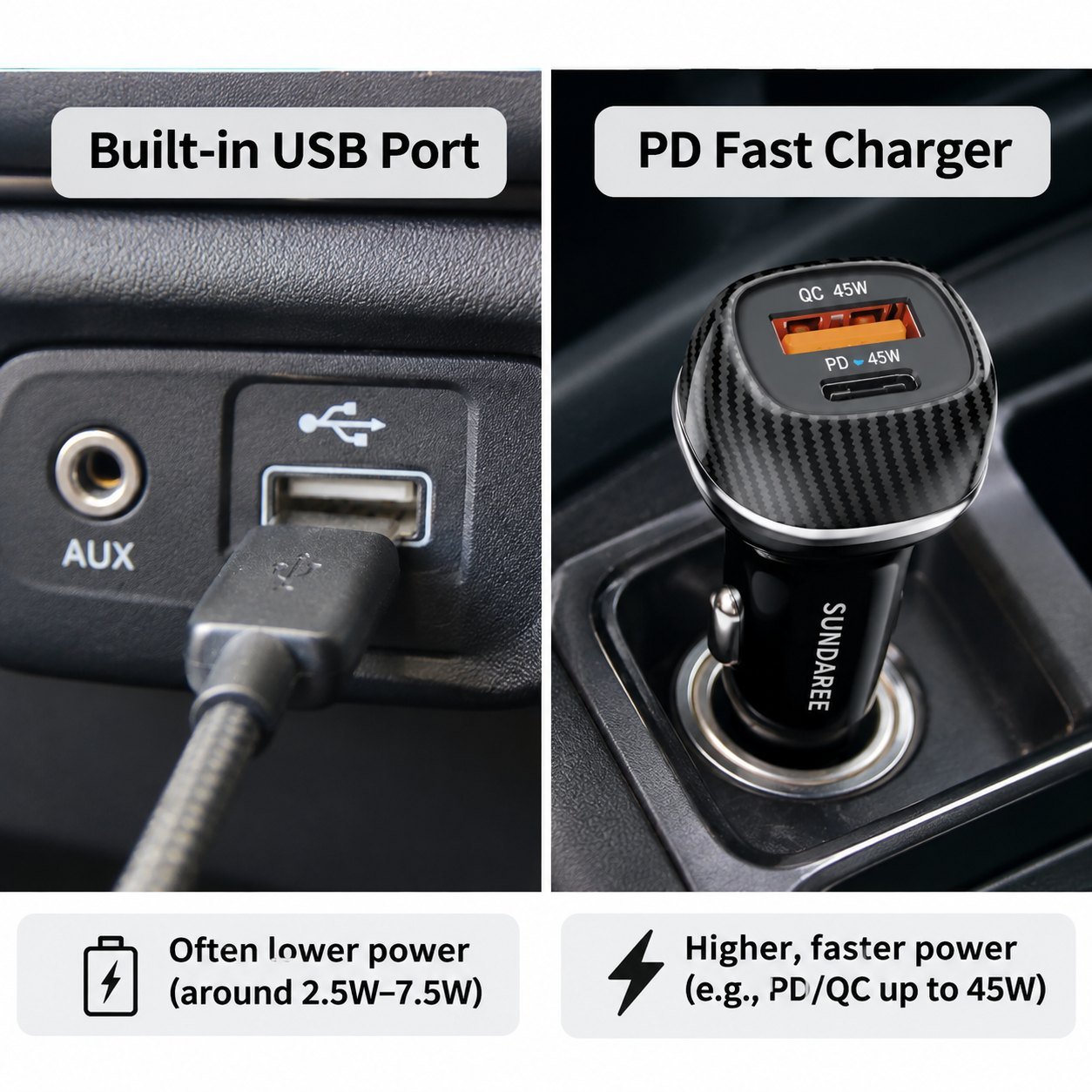
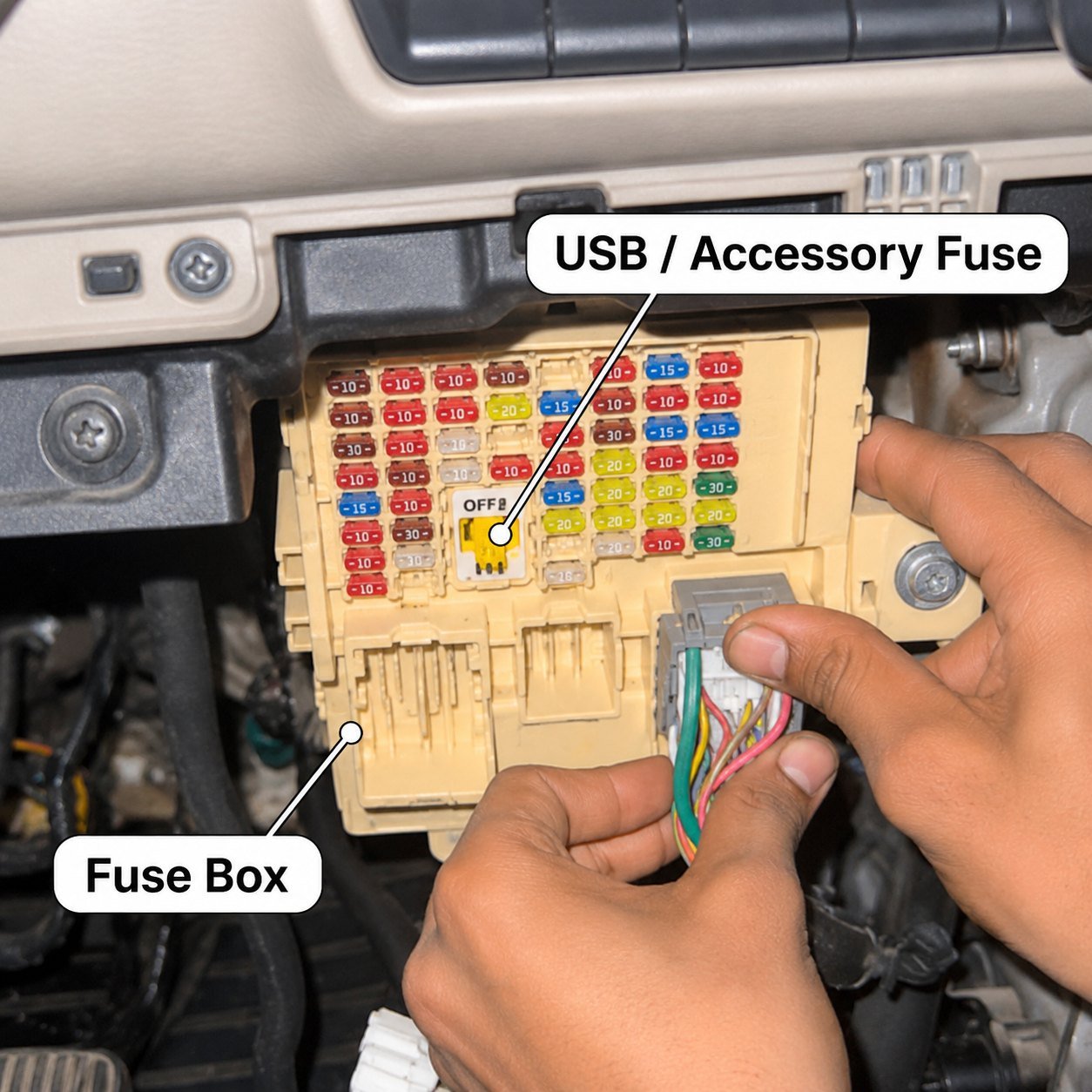
Get an installer for the last two options. Flush-mount and hardwired modules both connect to your car’s wiring. Fuse choice, wire gauge and routing all depend on the vehicle. A qualified auto electrician, working from your vehicle’s documentation, is the safe route. The time it takes depends on the model, trim access and cable route.
You can compare plug-in options across SUNDA’s car charger range, where each model lists its ports and protocols.
Specifying a Charging Upgrade for a Fleet or Dealership
If you manage vehicles, retail chargers or install upgrades, SUNDA builds car chargers to order through its OEM and ODM service. Stock ODM models start at 500 units per SKU. New-tooling OEM projects typically start at 3,000 units. Samples take 3 to 7 days after artwork approval, stock-model production runs 7 to 15 days, and new ODM development takes 45 to 60 days, including tooling.
CE, CCC, RoHS and E-Mark are standard. UL, FCC, PSE, KC and BIS are available for specific markets. Coverage varies by product model and destination, so ask for the certificate or test report that matches the exact model and market you need. The certification page separates product approvals from factory audits such as ISO 9001 and amfori BSCI, which cover the factory itself rather than individual products.
To get a useful answer on the first reply, send:
- Vehicle make, model and year, or your fleet range.
- The current port or power source you want to replace or add to.
- Target output, number and type of ports, and protocols (PD, QC3.0, PPS).
- Mounting preference: plug-in, flush-mount, or hardwired.
- Target markets, estimated quantity, branding needs, and timing.
Send your brief to the SUNDA team. They usually reply within 2 hours with pricing, MOQ and lead time, then follow up with a model recommendation, spec sheet and sample plan.
Summary
Most “not charging” complaints are settled by four free checks: a known-good cable, a look for lint in the phone port, a second phone, and the key in ACC or ON. If the port still loses, measure it against a known-good charger with the same cable at a similar battery level, because that is the only fair comparison. If the port turns out to be the limit, a plug-in adapter is the five-second fix, a flush-mount module gives a factory look, and a hardwired module suits fleets but needs an auto electrician. Whatever you fit, check the per-port and combined output, not just the headline wattage.
Replacing a Port That Cannot Keep Up?
The CC-97 puts PD 30W and QC 18W in the 12V socket with a live voltage display, and the CC82 panel-mount module replaces the factory port with 2 x USB-C PD 30W behind a 30 mm cutout. The rest of the car charger range runs from 38W to 140W. Send your vehicle and port layout to get a spec sheet back.
FAQ
Can a USB data port charge a phone?
Yes, but often slowly. A standard USB 2.0 data port may supply up to 500mA once your phone connects, about 2.5W. That can keep an idle phone charged. It may not keep up with navigation and a bright screen. Many cars fit higher-output ports, so your manual is the best guide to yours.
Can my phone battery drop while it is plugged in?
Yes. If the phone uses more power than the port supplies, the battery still falls, just more slowly. Heavy apps, a bright screen, mobile data and heat all raise demand. Lower the brightness and compare with another charger to see whether the port or your usage is the real limit.
How do I pick a charger that will actually fast-charge my phone?
Match the protocol to your phone first. iPhones use USB-C PD. Many Samsung models use PD with PPS for their fastest mode. Then check the per-port output for the port you will use, and the combined output if you will charge two devices at once. Use a cable rated for that output.
Why does my car USB port only work when the engine is running?
The port is on an ignition-switched circuit, which is how most cars are wired. It has no supply in the OFF position and comes alive in ACC or ON. That is normal behaviour rather than a fault, and it also means the port draws nothing while the car is parked.
How do I clean lint out of my phone charging port?
Look first, with a torch, and only act if you can see a matted plug of lint at the bottom. Do not use a pin, needle or anything metal, because the contacts inside are easy to short or bend. A phone repair shop will clean it with the right tools for a small fee, which is cheaper than a new port.
Why does my phone charge fast at home but slowly in the car?
A mains charger is usually a higher-wattage USB-C PD supply, while a car port may be a 500mA data port or a low-output charging port. The cable matters too: a charge-only cable can block fast-charge negotiation even on a capable port. Test the car port against your home charger with the same cable and a similar battery level to see which one is short.